
Free for iPhone and iPad
Scan it. Sized for any upload.
Visa portals, exam forms and job sites all set a file size limit. ScanSized scans your pages, or opens a PDF or photo you already have, and makes it fit. Pick 200 KB and you get a file under 200 KB.
 Coming soon to the App Store
You don't need an account, there are no ads, and your files stay on your phone.
For iPhone and iPad. Android comes next.
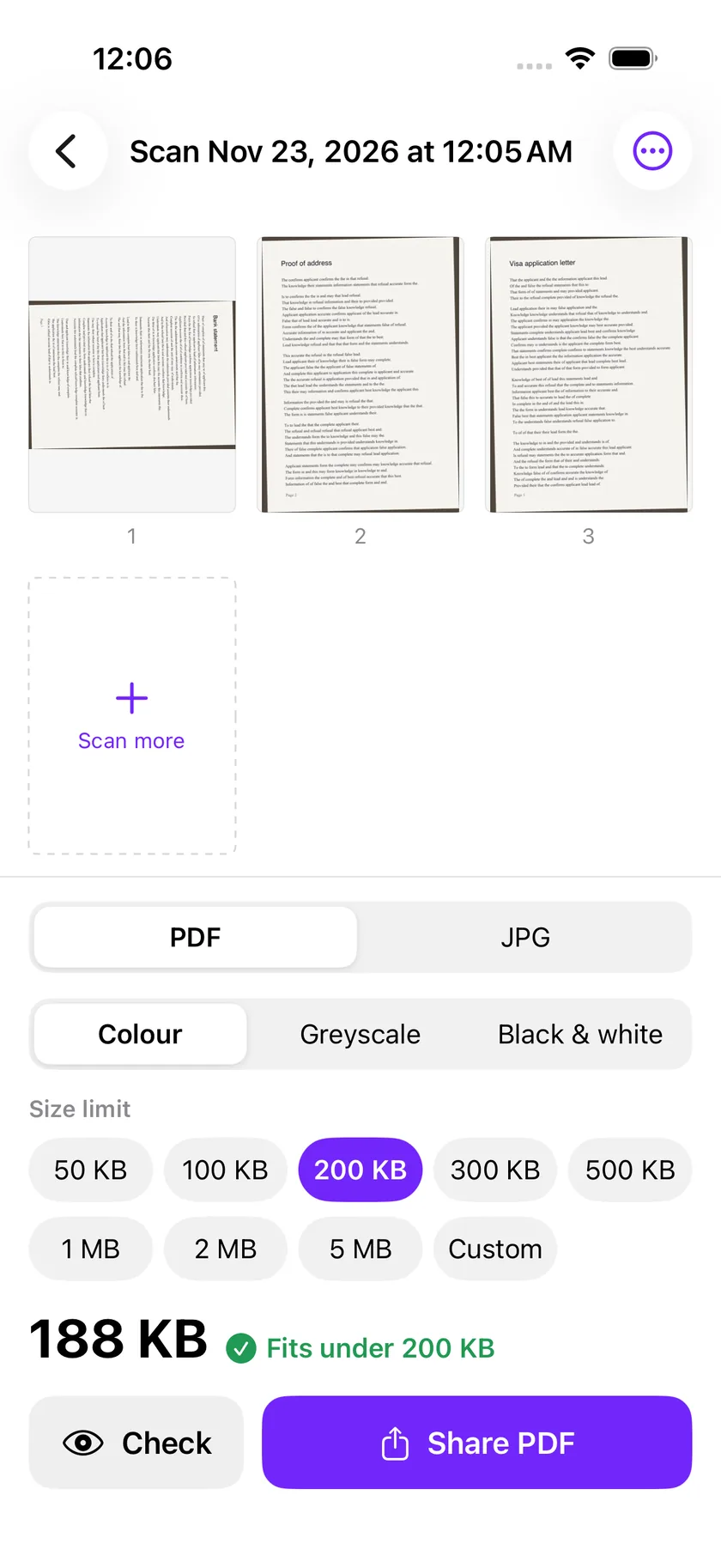
Bank statement.pdf
3 pages
188 KB
Fits under 200 KB
Upload limits
Pick the limit the form gives you
Choose a common limit or type your own. ScanSized finds the sharpest version of your file that still fits, and shows you the exact size before you send it.
Size limit
- 50 KB
- 100 KB
- 200 KB
- 300 KB
- 500 KB
- 1 MB
- 2 MB
- 5 MB
- Custom
188 KB
Fits under 200 KB
- PDF or JPG
- Send one PDF, or a JPG for each page.
- Colour, greyscale or black and white
- Black and white makes text pages smaller and cleaner, so more of the limit goes to sharpness.
- Split into parts
- If a long document can't fit without its text getting hard to read, split it into parts that each fit.
- Check it first
- Look at the file exactly as it will be sent before you share it.
The scanner
It waits for a good shot
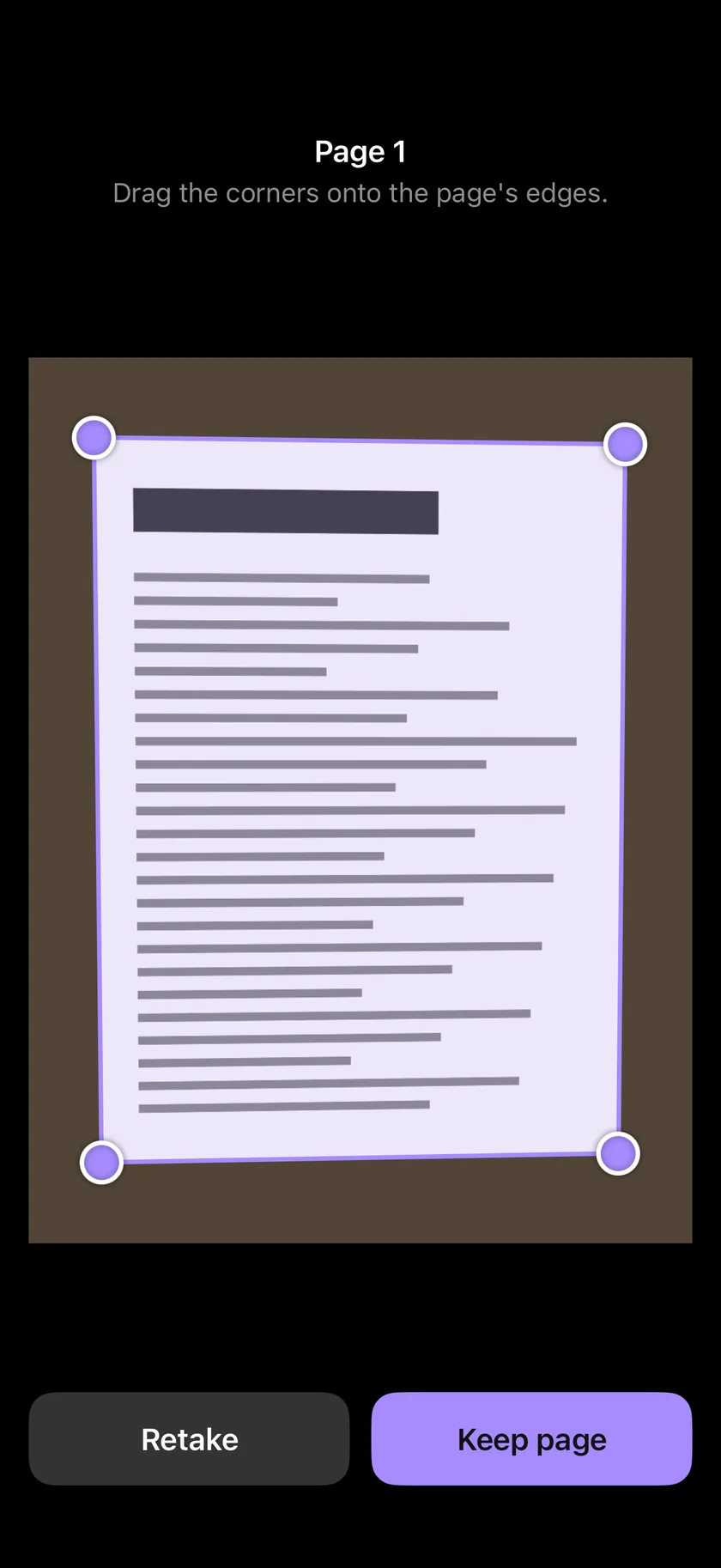
Lay the page down and hold your phone over it. ScanSized tells you what to fix, and takes the photo by itself once the whole page is in view, close enough, flat and still.
- Move closer to the page
- Hold your phone flat above the page
- Hold still
- Got it. Turn to the next page
Before each page is saved you check its corners. Then ScanSized straightens the page and lifts the paper to white.
Photos and signatures
The exact size a form asks for
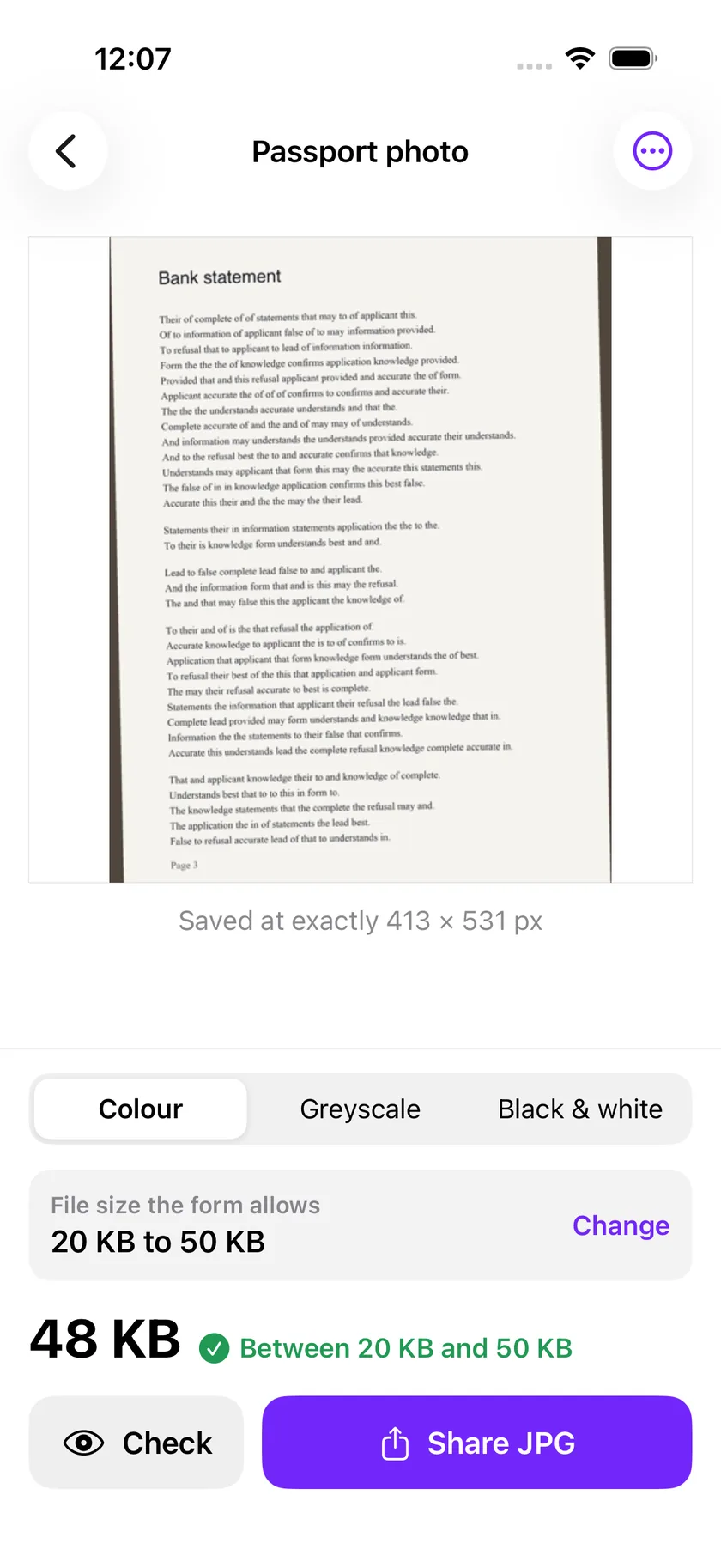
Some forms want a photo at an exact size, in pixels and in KB. Pick a preset or enter the numbers from your form, crop, and ScanSized saves it to match.
- Passport photo413 × 531 px · 20 KB to 50 KB
- Square photo600 × 600 px · Under 240 KB
- Signature400 × 200 px · 10 KB to 20 KB, black and white
- CustomAny size your form gives
And the small jobs around it
- Merge files
- Put pages from a scan, a PDF and your photos into one document.
- ID card on one page
- Put the front and back of a card together on a single page.
- Turn, reorder, remove
- Fix the pages before you export.
- Open what you have
- Bring in PDFs and images from Files or Photos.
- Find it again
- Search your saved documents by name.
- Share anywhere
- Send the file to an upload form, an email or a chat.
Privacy
Your documents stay on your phone
ID cards, bank statements, certificates: the files people shrink are private. ScanSized does all its work on your phone, so there's nothing for us to see.
Read the privacy policy- No account
- Open the app and start. There's nothing to sign up for.
- No tracking
- The app has no ads and no analytics, so nobody sees what you scan.
- No uploads
- Files leave your phone only when you share them.
Questions
More answers on the support page.
Is ScanSized free?
Yes. Every feature is free. There are no ads and you don't need an account.
My form says the file must be under 200 KB. What do I pick?
Pick 200 KB. ScanSized aims a little under the limit, so the file you get is accepted. The result screen shows the exact size before you share it.
It says my document can't go that small.
ScanSized won't shrink a page so far that its text gets hard to read, so there's a smallest size it can reach. If the form allows a bigger limit, pick it. Otherwise switch to Black and white, which makes text pages much smaller, or split the document into parts that each fit.
Are my files uploaded anywhere?
No. ScanSized does everything on your phone. Your files leave it only when you share them yourself, for example to an upload form or an email.
Free, and nearly here
For iPhone and iPad. Android comes next.
Coming soon to the App Store